-
-
-
Abu Dhabi | Dubai | Musaffah


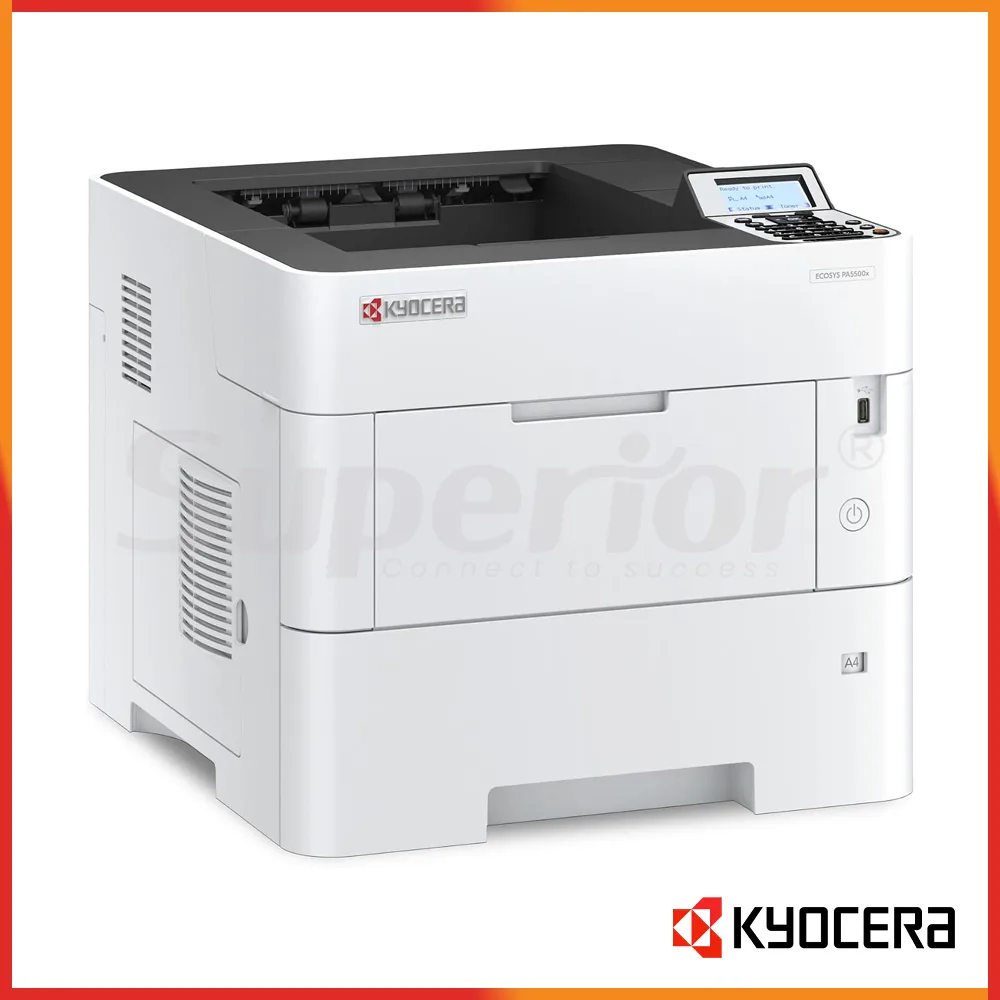
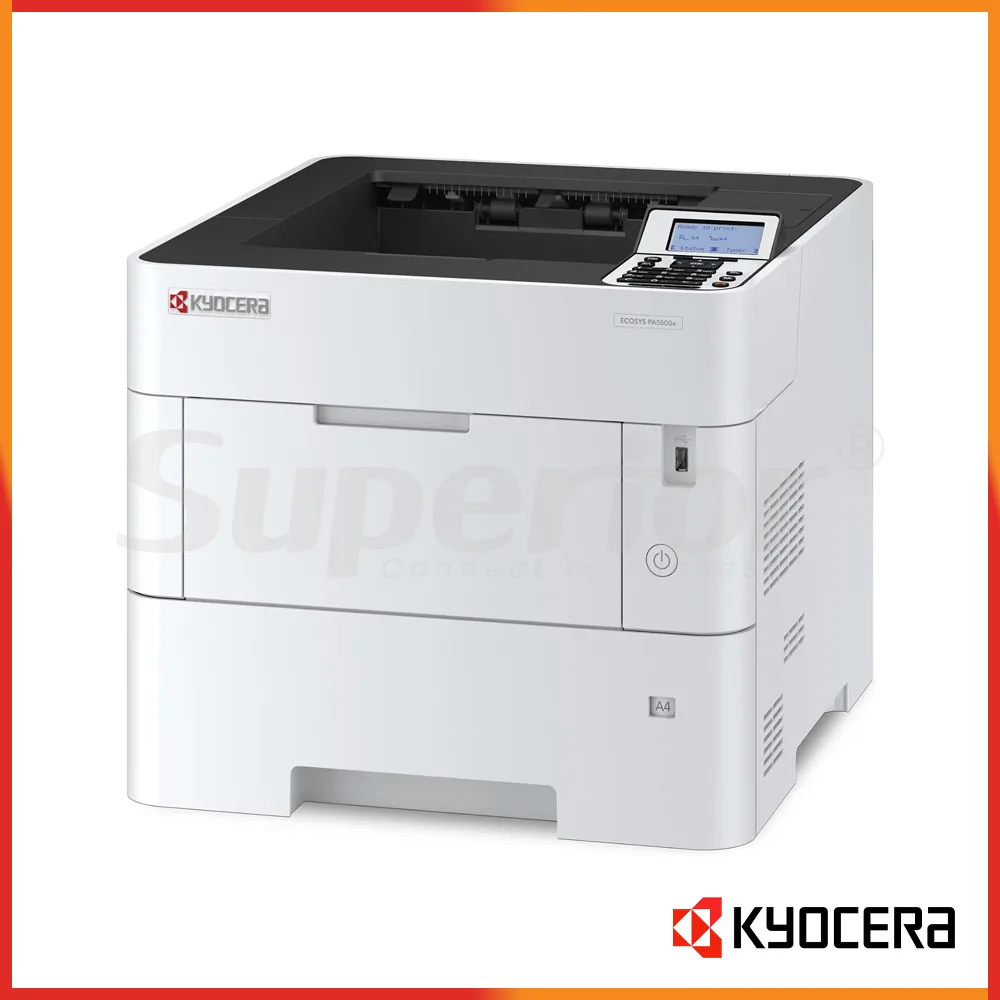
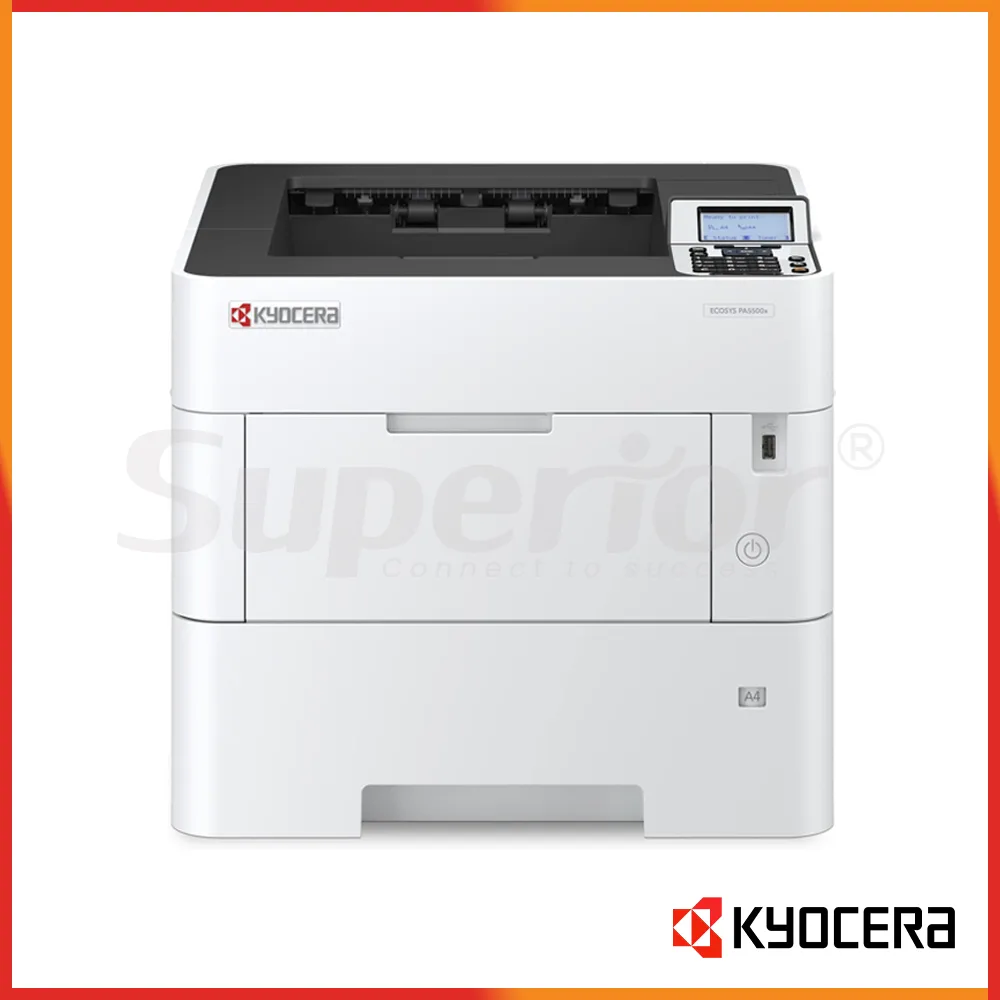

Kyocera ECOSYS PA5500x | Latest Model Mono Printer
|
The Kyocera ECOSYS PA5500x is a current-generation A4 monochrome printer designed for UAE offices that need fast, consistent black-and-white output from a compact desktop machine. This listing is for the Latest Model condition, supplied as new stock rather than a refurbished unit. With print speed of up to 55 pages per minute on A4, standard automatic duplex printing and a 600-sheet standard paper supply, it is aimed at workgroups that print throughout the day and want a dedicated mono printer instead of a larger multifunction copier.
The PA5500x is print-only. It does not include copying, scanning or fax. That makes it a sensible choice when those functions are already handled by another MFP or document scanner and the office simply needs a fast network printer for invoices, statements, contracts, reports, delivery notes, stock lists, forms and other black-and-white documents. For buyers comparing several Kyocera models, this distinction is important: the PA5500x is built to move print jobs quickly, not to replace every document function in the office.
In Abu Dhabi, the PA5500x suits accounts departments, administration teams, schools, clinics, professional offices and service companies where several users regularly send mono print jobs to one shared device. A finance team can use it for statements, reports, invoices and month-end packs, while an administration team can use it for letters, policies, forms and internal documents. Its 55 ppm speed is useful when jobs arrive in bursts and staff do not want a long report to hold up the queue for everyone else.
In Dubai, the model works well as a departmental printer in sales offices, trading companies, logistics firms and corporate environments where most daily pages are black and white. Many businesses already keep a colour MFP for presentations and customer-facing material. Adding a dedicated mono printer such as the PA5500x can move routine contracts, quotations, ERP reports and internal paperwork away from the colour device, helping users reserve the colour machine for jobs that actually need colour, scanning or copying.
In Musaffah, the PA5500x is a practical option for warehouses, workshops, engineering offices, automotive businesses, contracting companies and trading operations. These sites often print delivery notes, job sheets, purchase orders, parts lists, inspection reports and technical paperwork throughout the day. A fast A4 printer with straightforward toner supply and expandable paper capacity can be easier to manage than relying on several small desktop printers. Placement still matters in industrial environments, so the printer should be kept in a clean office area away from direct dust, heat and open workshop traffic where possible.
The model is also useful for organisations with centralised printing policies. Because it is a network-ready business printer, multiple users can share it while an IT team controls drivers, paper defaults and access settings. If the site needs optional wireless connectivity, additional storage or extra paper feeders, those requirements should be confirmed before ordering. Superior Office Services LLC can help buyers choose a configuration based on the real workload rather than adding options that the office may never use.
| Specification | Kyocera ECOSYS PA5500x |
|---|---|
| Condition | Latest Model / new stock |
| Machine type | A4 monochrome desktop printer |
| Primary function | Print only |
| A4 mono speed | Up to 55 ppm |
| Duplex speed | Up to 39 ppm A4 |
| First print time | Approx. 4.5 seconds or less |
| Warm-up time | Approx. 25 seconds or less |
| Print resolution | Up to 1200 x 1200 dpi |
| Processor | ARM Cortex-A53 dual core 1.4 GHz |
| Memory | 512 MB standard; expandable up to 2.5 GB |
| Optional storage | 64 GB, 256 GB or 512 GB SSD options on referenced regional configuration |
| Standard input capacity | 500-sheet cassette + 100-sheet multipurpose tray |
| Maximum input capacity | Up to 2,600 sheets with supported options |
| Maximum monthly print volume | Up to 250,000 pages in referenced manufacturer brochure |
| Recommended monthly print volume | Up to 27,500 pages in referenced manufacturer brochure |
The headline specification is the 55 ppm A4 print speed. For a buyer, that matters most when the printer is shared by several people or when long files are common. A small office that prints only a few pages at a time may not use the full advantage of this speed, but a department generating account statements, ERP reports, tender documents or large internal packs will notice the difference compared with a slower desktop printer.
Standard memory is 512 MB and can be expanded to 2.5 GB. Optional SSD storage is available in several capacities on referenced regional configurations. Storage is not automatically necessary for every installation. A straightforward office using normal PDF, Word, Excel and browser printing may be fine with the standard setup. Additional storage can make sense where secure job handling, document management or particular print workflows require it. SOS can review the intended use before an SSD is added to the quote.
The manufacturer brochure also lists a recommended monthly print volume of 27,500 pages and a maximum print volume of 250,000 pages per month for the PA5500x. A maximum figure should not be treated as the target every month. For long-term planning, the normal monthly load, peak days, paper type, job length and service arrangement matter more than using a maximum duty figure as a purchasing shortcut. If an office expects sustained output close to the upper limit, it is worth discussing whether a larger device or a distributed print setup would be more suitable.
| Function | Performance | Buyer Note |
|---|---|---|
| Up to 55 ppm A4 monochrome | Main function of the PA5500x | |
| Duplex print | Up to 39 ppm A4 | Automatic two-sided printing is standard |
| First print | Approx. 4.5 seconds or less | Useful for frequent short jobs |
| Resolution | Up to 1200 x 1200 dpi | Suitable for sharp business text and line work |
| Copy | Not available | Choose a mono MFP if copying is required |
| Scan | Not available | Use a separate scanner or mono MFP |
| Fax | Not available | This model is print-only |
The PA5500x is designed around print performance. Its fast first-page time is useful in ordinary office work because many jobs are only one to five pages. Users should not have to wait for a large machine to wake up every time they print a short letter or invoice. At the same time, the 55 ppm engine gives the printer enough speed for longer runs when a department needs to produce a report pack or batch of documents.
Automatic duplex printing is standard. Two-sided output is useful for internal reports, contracts, policy manuals, tender documents and other jobs where reducing paper volume or document thickness is desirable. Duplex speed is lower than single-sided engine speed, which is normal for this type of device, but it remains suitable for busy office use. If a company intends to make duplex the default for most users, SOS can help set the driver defaults during installation.
Print resolution reaches up to 1200 x 1200 dpi. This is appropriate for business text, tables, line graphics, forms, barcodes and general monochrome office output. It should not be confused with a specialist graphics or production device. If the requirement includes high-end colour material, wide-format plans, photographic work or unusual media, a different machine category should be considered.
Copy, scan and fax are not available on the PA5500x. For some customers, that is exactly the point: they already have an MFP for document capture and want a dedicated printer close to the team that produces the largest volume of mono pages. For others, especially reception, HR, accounts payable or records teams, scanning may be essential at the same workstation. In that case, a Kyocera ECOSYS mono MFP may be a better fit. The decision should be based on what staff do every day, not only on print speed.
| Paper / Option | Specification | Practical Use |
|---|---|---|
| Standard cassette | 500 sheets | Main A4 or regular office paper source |
| Multipurpose tray | 100 sheets | Letterhead, heavier media and supported special sizes |
| Standard total input | 600 sheets | Good starting capacity for departmental use |
| Maximum input | Up to 2,600 sheets | Reduces refill frequency for higher-volume sites |
| Main cassette media weight | 60 to 120 g/m2 | Normal office paper range |
| Multipurpose tray media weight | 60 to 220 g/m2 | Wider supported media range |
| Maximum standard paper class | A4 / Legal | This is not an A3 printer |
| Banner media | Up to 915 mm through the multipurpose tray | For supported long-format mono jobs |
| PF-3110 feeder | 500-sheet optional feeder; multiple units supported | Add paper sources or capacity |
| PF-3100 feeder | 2,000-sheet optional bulk feeder | Useful for high-volume A4 environments |
| PT-320 | Optional 250-sheet face-up output tray | Alternative output handling |
The standard paper setup combines a 500-sheet cassette with a 100-sheet multipurpose tray for a total of 600 sheets. This is useful because a normal office can keep its everyday A4 stock in the cassette while reserving the multipurpose tray for letterhead, heavier approved media or occasional custom sizes. The multipurpose tray supports a wider paper-weight range than the main cassette, so it is the correct route for many special-media jobs.
With supported paper options, total input capacity can reach 2,600 sheets. That does not mean every customer should order the maximum configuration. A smaller workgroup may be better served by the standard tray arrangement. A busy accounts or logistics department may prefer extra capacity so paper does not need to be replenished several times during a shift. Some offices also benefit from separate feeders because they use different paper types, not because they need more total sheets. For example, one tray can hold plain A4 while another holds company letterhead.
The PA5500x is an A4/Legal-class printer rather than an A3 model. Buyers should be clear about this before ordering. If the office regularly prints A3 spreadsheets, plans, drawings or large forms, an A3 TASKalfa or another suitable machine should be considered. The PA5500x does support custom sizes and banner paper through the multipurpose tray within its specified limits, but that does not turn it into an A3 or wide-format printer.
Paper quality has a direct effect on day-to-day reliability. In the UAE, paper stored near open doors, warehouse areas or poorly controlled humidity can curl or collect dust. This can lead to feed issues even when the printer itself is working correctly. Keep paper wrapped until needed, store it flat and use media that matches the printer specification. If your business prints labels, envelopes, pre-printed forms or heavy stock regularly, provide the media specification to SOS before ordering so the correct usage can be checked.
| Consumable | Colour / Type | Approx. Yield | Notes |
|---|---|---|---|
| TK-3430 | Black toner - EMEA reference | 25,000 A4 pages (ISO/IEC 19752) | Confirm UAE-market kit code and packaging with SOS |
| TK-3435 | Black toner - selected Asia-region reference | 25,000 A4 pages (ISO/IEC 19752) | Do not order by code alone; confirm UAE supply with SOS |
| Starter toner | Black | 10,000 A4 pages | Manufacturer references list this starter capacity; confirm supplied UAE configuration |
| Maintenance kit | Service item | Not applicable | Regional codes vary; exact UAE kit: Enquire with SOS |
| Drum / developer | Long-life imaging components | Not a toner yield | Service replacement details: Enquire with SOS |
| Waste toner | Enquire with SOS | Not applicable | Confirm service and consumable arrangement for the supplied unit |
| Staple cartridge | Not applicable | Not applicable | The PA5500x is a desktop printer without an MFP stapling finisher |
Kyocera regional documentation identifies a 25,000-page toner class for the PA5500x, but the exact kit suffix varies by market. The European reference is TK-3430, while selected Asia-region documentation lists TK-3435. For a UAE buyer, the safe approach is to confirm the cartridge code against the actual machine supplied before ordering toner in quantity. SOS can check the correct kit and advise whether genuine or compatible supply is appropriate for the customer's machine and service arrangement.
The published 25,000-page toner figure is stated under ISO/IEC 19752 rather than as a simple guaranteed yield at exactly 5 percent coverage. For that reason, the table above shows the ISO yield rather than converting it into a made-up 5 percent figure. Real toner consumption varies with print density, page design, graphics, font weight, job type, paper size and other operating factors. A logistics office printing mostly short delivery notes may see a different practical result from a department producing dense reports with large black areas.
Starter toner is also different from the full replacement cartridge. Manufacturer material for the PA5500x lists a 10,000-page starter capacity in referenced regions. Buyers should not assume the first cartridge supplied with the machine has the same yield as the normal replacement toner. When comparing quotations, ask what toner is included with the machine and what replacement kit will be supplied afterward.
A sensible toner plan is based on monthly usage. If the printer is business-critical and the office produces a high volume of paperwork every day, keeping one replacement toner on site can avoid unnecessary downtime. If the device is lightly used, holding several cartridges may not be necessary. SOS can help customers set a practical replenishment level and confirm the right toner code before supply.
Maintenance kits, drum-related parts and developer-related parts are service items rather than normal user toner purchases. They should be handled according to service condition and the correct regional part reference. The PA5500x is part of Kyocera's ECOSYS family, which is built around long-life internal components, but no business should treat a long-life component as a promise that maintenance will never be required. Paper quality, environment, volume and usage pattern all affect how a printer performs over time.
A fast office printer is valuable only when it stays available for the people who depend on it. For that reason, the purchase should include a plan for installation, drivers, paper, toner and service from the beginning. Superior Office Services LLC can help UAE customers review the intended workload before supply and make sure the PA5500x is configured for the job it will actually perform.
For an office replacing an older printer, the useful questions are straightforward. Why is the current machine being changed? Is it too slow, frequently out of paper, difficult to obtain toner for, or overloaded by too many users? If speed is the main issue, the PA5500x offers a 55 ppm class. If paper refilling is the problem, optional feeders may be more important than additional memory. If the real problem is that staff also need to scan and copy, then a printer-only replacement may not solve the workflow at all.
Network preparation is another part of a good installation. The PA5500x includes standard wired network capability, while wireless options are available in referenced configurations. Before delivery, the customer's IT contact can decide where the printer will sit, whether it needs a fixed IP address, which drivers are required and whether duplex or other defaults should be set for users. If secure printing or user authentication is needed, mention this before the order so the suitable configuration can be reviewed.
Serviceability is also affected by the physical environment. In a clean Abu Dhabi or Dubai corporate office, normal printer placement is usually straightforward. In a Musaffah workshop or warehouse office, the device should be kept away from direct dust, heat sources and areas where paper can absorb moisture or become dirty. Keeping the printer accessible for service and leaving enough space around it for ventilation and tray operation will make maintenance easier.
SOS can also advise on toner supply for the UAE market. Because regional toner suffixes can differ, buying from a seller that checks the actual machine reference reduces the chance of receiving the wrong cartridge. Customers can discuss genuine toner or suitable compatible options according to their requirement, machine condition and service arrangement. No running-cost figure should be promised without considering actual page coverage and usage.
The PA5500x is a good choice for a business that needs a fast A4 mono printer shared by several users. It fits offices where black-and-white output is the majority of daily printing and where a dedicated 55 ppm device can keep large jobs away from a slower printer or colour MFP. Accounts, administration, logistics, education, trading and corporate back-office teams are typical examples.
It is also a sensible choice when the office already has scanning and copying covered elsewhere. A company may have one central A3 colour MFP for scan, copy and occasional colour work, then place the PA5500x near the department that produces most of the mono pages. This can reduce queues at the MFP and avoid using a larger colour device for jobs that are simply black text.
Ask SOS about a slower PA-series model if the office likes the same general printer format but does not need 55 ppm. A smaller workgroup may be better served by a lower-speed model if the queue is usually light. Buying more speed than the office needs can add cost without improving the real workflow.
Ask about a faster model if the office regularly produces large batches, has many simultaneous users or frequently reaches the practical limit of a 55 ppm printer. The PA6000x, for example, sits above this model in the same family. The right choice should consider peak periods as well as average monthly volume.
Choose a Kyocera mono MFP instead if staff need copying or scanning at the same location. This is important for reception, HR, accounts payable, clinics, document-control teams and any department that regularly receives signed paper and needs to digitise it. A dedicated printer can be excellent for output, but it cannot replace a scanner or copier where those functions are part of everyday work.
Choose an A3 model if the office regularly prints A3 spreadsheets, plans or drawings. The PA5500x is an A4/Legal-class printer. Its custom and banner support can be useful for specific jobs, but it should not be purchased as a substitute for a true A3 machine. If the requirement is uncertain, send SOS examples of the document sizes and monthly workload so the alternatives can be compared properly.
This listing is for the Latest Model condition and should be treated as new stock. If a customer is working to a tighter capital budget or needs equipment for a secondary site, SOS can also discuss quality-checked, warrantied refurbished alternatives separately where appropriate. The choice between new and refurbished should consider expected usage, budget, service coverage and how long the business plans to keep the machine.
You can buy the Kyocera ECOSYS PA5500x through Superior Office Services LLC. Visit sosauh.com to review SOS products and services, or Contact SOS on WhatsApp for stock availability, a commercial quote, delivery, installation and toner supply. SOS supports customers from its offices in Abu Dhabi, Dubai and Musaffah.
For Abu Dhabi enquiries, call 02 442 9966. For Dubai, call 04 324 0050. For Musaffah, call 02 550 5265. Mobile contacts are +971 50 969 4734 and +971 50 159 4734. The primary WhatsApp number is +971 50 969 4734.
When requesting a quote, tell the SOS team how many users will share the printer, your approximate monthly page volume, whether most jobs are single-sided or duplex, the paper sizes you use and whether you need additional trays, wireless connectivity or optional storage. If you are replacing an existing printer, provide the model number and explain what is limiting the current setup. These details help the team recommend the right PA5500x configuration or point you to another model if it is a better fit.
For toner, ask SOS to confirm the exact cartridge code supplied with the UAE unit before placing a bulk order. The regional references for this model can differ, so checking the machine first is safer than ordering from a model name alone. SOS can also discuss installation timing, network requirements and ongoing support before delivery.
The Kyocera ECOSYS PA5500x is worth shortlisting when the requirement is clear: a current A4 mono printer, up to 55 ppm, automatic duplex, expandable paper handling and a high-capacity toner class for regular office use. If those points match your Abu Dhabi, Dubai or Musaffah office, visit sosauh.com or Contact SOS on WhatsApp to check stock and request a commercial quote.
Additional Information
What can I help with?