-
-
-
Abu Dhabi | Dubai | Musaffah


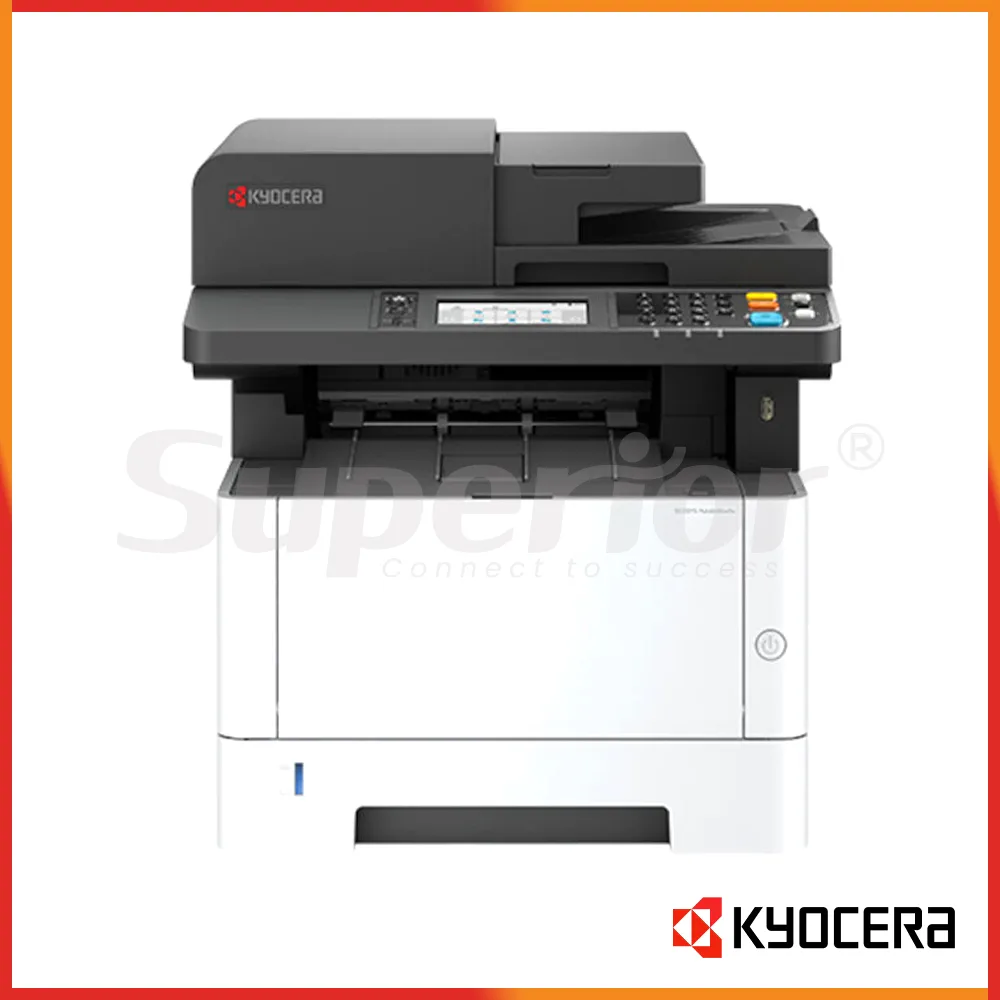
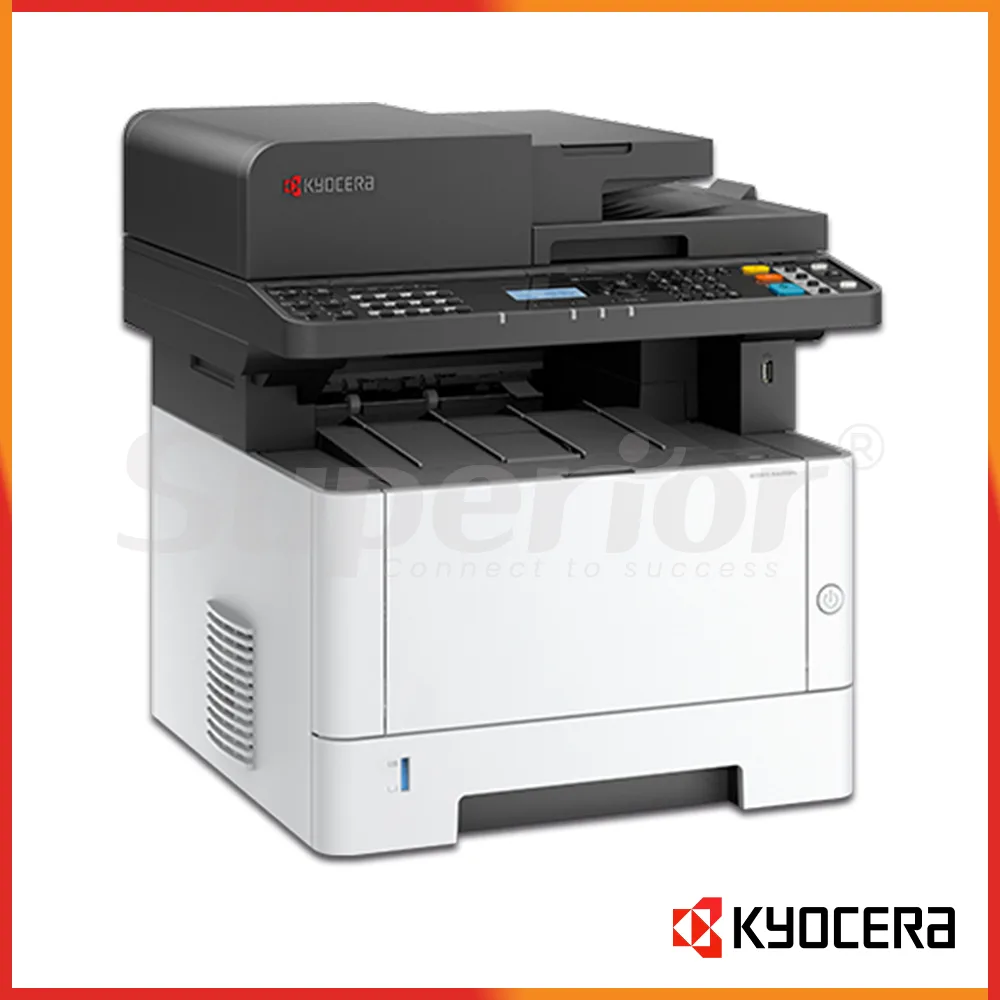


Kyocera ECOSYS MA4000fx | Latest Model Mono MFP
|
The Kyocera ECOSYS MA4000fx is an A4 monochrome multifunction printer for offices that need quick black-and-white printing plus copy, scan and fax functions in one desktop machine. It runs at up to 40 pages per minute on A4, which is a useful step up for teams that regularly send batches of invoices, statements, delivery notes and internal reports.
This model is listed as a Latest Model unit. It suits accounts departments, reception desks, clinics, trading offices and warehouse admin teams that mainly work with mono documents but still need colour scanning for signed forms, stamps or marked-up paperwork.
The MA4000fx is a practical choice where an A3 machine would be unnecessary. It keeps the focus on A4 and Legal-size work, gives you automatic duplex printing, a 50-sheet one-path duplex document processor, wired network connectivity and USB. For a shared office printer, that covers the jobs most users actually need.
| Specification | Details |
|---|---|
| Type | A4 monochrome multifunction printer |
| Functions | Print, copy, scan and fax |
| Print speed | Up to 40 ppm A4 mono |
| Print resolution | Up to 1200 x 1200 dpi |
| Memory | 1 GB |
| Paper input | 250-sheet cassette + 100-sheet multipurpose tray |
| Maximum paper capacity | Up to 850 sheets with optional feeders |
| Maximum paper size | A4 / Legal |
| Document processor | 50-sheet one-path duplex scan type |
| Connectivity | USB 2.0 and Gigabit Ethernet |
At 40 ppm, the MA4000fx has enough speed for a department that prints throughout the day. An accounts team can send a batch of statements, then another user can print purchase orders or service reports without the machine feeling like a basic personal printer. First print time is rated at 6.4 seconds or less, so short jobs do not need a long wait either.
The standard paper setup is simple: one 250-sheet cassette and a 100-sheet multipurpose tray. The multipurpose tray is useful for letterhead, labels and other supported media while normal A4 paper stays in the main cassette. If the office grows, up to two optional 250-sheet feeders can raise total paper capacity to 850 sheets.
Scanning is another useful part of this model. At 300 dpi, the published speed is up to 40 images per minute in mono and 23 images per minute in colour for simplex scanning, and up to 80 mono or 46 colour images per minute in duplex mode. That helps with supplier files, signed contracts, clinic forms or delivery documents that need both sides captured in one pass.
Scan destinations include SMB network folders, e-mail, FTP, USB, TWAIN, WSD and WIA workflows. In a real office, that means staff can scan a signed document straight to a shared folder or send it as a file instead of first saving it to one PC.
| Item | Details |
|---|---|
| Black toner | TK-1275 / TK-1285 depending on market |
| Published yield | 7,200 or 12,000 pages under ISO/IEC 19752 |
| Maintenance kit | MK-1265 |
| UAE supply | Confirm exact toner code with SOS |
Kyocera publishes different toner references for the MA4000fx depending on region. Asian product information lists TK-1275 at 7,200 pages and TK-1285 at 12,000 pages under ISO/IEC 19752, while other markets also list TK-1270 and TK-1310. Because the UAE supply code can depend on the regional machine, Enquire with SOS before ordering toner.
That check matters if you are buying several cartridges for stock. Ask SOS before you buy toner in bulk. We can match the consumable to the actual machine and help avoid a situation where the toner box looks almost right but the code is for another regional version.
The MA4000fx includes Gigabit Ethernet and USB connectivity. Built-in wireless LAN is not standard on this version, so if Wi-Fi is essential for the printer location, check with SOS before purchase. For a fixed shared printer in accounts, admin or reception, wired Ethernet is often the simpler option because the machine can stay on a stable network address.
The fax function is available on the MA4000fx family, although regional configuration can differ. SOS can confirm the exact UAE unit before installation. Setup can include printer drivers, fixed IP settings, scan-to-folder, scan-to-email, duplex defaults, address book entries and user testing. These details save time later, especially when several staff members share the same printer.
Superior Office Services LLC (SOS) can assist with supply, installation, configuration and after-sales support for the Kyocera ECOSYS MA4000fx in Abu Dhabi, Dubai and Musaffah. If you are replacing an older ECOSYS machine, SOS can check your paper use, scan workflow, network requirement and toner preference before you order. Visit sosauh.com or use Contact SOS on WhatsApp. Call Abu Dhabi on 02 442 9966, Dubai on 04 324 0050, or Musaffah on 02 550 5265. Mobile support is available on +971 50 969 4734 and +971 50 159 4734.
Additional Information
What can I help with?