












If you have been using a Canon printer at the halfway point of any work, then you must understand how troublesome this is. Several issues, such as paper jams or other error messages, may arise.
While certain issues are easy to deal with, there are other times when you'll require professional help to get your work done.
In this article, we will discuss how to troubleshoot printer issues without assistance, when to consider finding printer repairs near me, and introduce you to SOS, an online portal for finding repairs for Canon printers.
Canon Printer Problems That You Can Easily Solve
Don't jump the gun and search for an expert right away; there are some problems that can be solved without one. Let's look at some typical issues that arise with Canon printers and how to deal with them on your own.
1. Paper Jams
A frequent problem with Canon printers is a paper jam. Should you notice your printer continuously displays a "jammed paper" message, follow these steps:
- Turn off and unplug the printer. Safety first!
- Gently open all access panels.
- Slowly remove any bits of paper stuck inside.
- Use a flashlight to inspect rollers and trays.
- Close everything up and power the printer back on.
Tip: Never yank the paper out—you could damage internal components. For detailed instructions, Canon’s support site offers step-by-step guidance on how to repair a Canon printer paper jam.
2. Low or Empty Ink Warnings
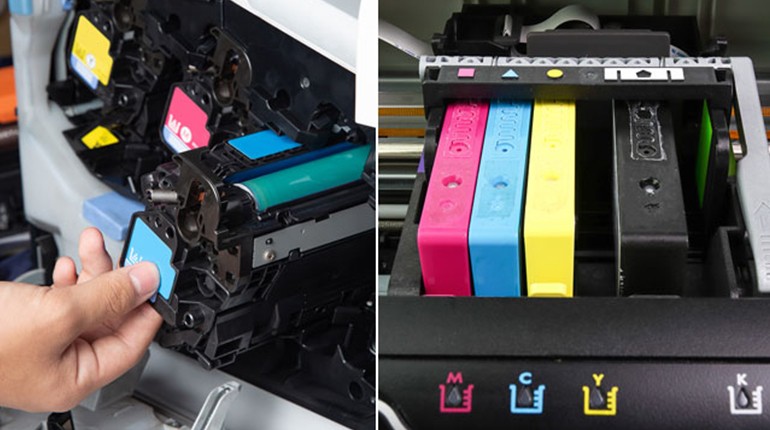
Try the following if your printer is not printing even when the cartridge is full:
- Remove and reinstall the ink cartridges.
- Clean the printhead using your printer’s software.
- Run a test page to check ink flow.
In many cases, this resolves false low-ink alerts—saving you a trip to the service centre.
3. Wi-Fi Connectivity Issues
Connection problems can easily be sorted out with:
- Rebooting your printer and wireless router.
- Check that your printer is connected to the right Wi-Fi network.
- Firmware update or reinstallation of Canon printer drivers
You’ll be amazed at how frequently this will do the trick.
Time to Seek Professional Help for Printer Repair
Unfortunately, not all problems can be solved by following these troubleshooting tips. When none of these methods works, then it is high time that you search for printer repair service near me or copier repairs near me.
- Problems Indicating You Need Professional Help:
- Repeated instances of paper jam despite thorough cleaning
- Grinding and clicking sounds emanate from inside the machine.
- The printer does not start up despite being plugged into the socket.
- Error codes are occurring repeatedly and not clearing.
- Poor and slow print quality in laser printers
- Scanner/copier problems in multifunction printers
More often than not, attempting further DIY fixes would only result in doing more damage and raising the repair bill.
Professional Canon Printer Repair Service
If the printer from Canon breaks down and your efforts at repairing it fail, the only way out is to approach professionals for a repair service. Not only will it fix your problem, but it will also ensure that the printer returns to its best possible state of performance.
1. Professional Diagnostics
First, a professional will conduct a comprehensive examination. The Canon printers, particularly those designed for laser printing, have complex internal parts that can malfunction without showing clear indications. Issues such as sensor malfunctions, problems with the motherboard, and others will be identified immediately by a professional eye, saving you precious time. Even some companies utilise specific diagnostic tools to check Canon printers.
2. Original Canon Parts
Professional services replace parts with those that have been manufactured by the company. This will ensure compatibility with your equipment. Rollers, fusers, gears, ink system components, and other parts can be easily substituted with those produced by Canon, eliminating the need for any further troubles after the replacement.
3. Factory Repair and Restoring Print Quality
Besides the regular troubleshooting techniques, there are also tools used by professionals that can solve the problem at the manufacturer’s level. This means that once the fixing process is completed, the print quality produced by your Canon printer will revert to the previous one, which implies that there will be no blotting.
4. Customised Services – On-Site or Drop-Off
For those who need on-site service, there are plenty of companies, such as SOS, that provide on-call repair for their customers. In case the customer finds the drop-off method more convenient, a professional will still come to their workplace with all necessary parts and equipment to reduce the downtime of their printers.
5. Preventive Maintenance Contracts for Continuous Assurance
When your office uses several Canon printers or multifunction copiers, maintenance and repair costs can be rather steep. In this case, it is best to consider maintenance contracts. With a contract, you will receive regular maintenance, preferred scheduling, and discounts on replacement parts, which will prevent unexpected failures and prolong the life of the equipment. This is an affordable choice for small companies, educational institutions, and the printing industry.
6. Clear Price Estimates and Great Customer Service
When it comes to professional printer repair, the price estimate is clear, and you will know exactly what to pay for the repair. Moreover, many services do not charge their customers for diagnostic services or consultation prior to any actions. Another advantage of choosing the company is the excellent customer service, which explains the problem and provides the best solutions possible.
Why Go For SOS For Your Canon Printer Repairs?
Through SOS's professional services, we make printer repair very simple for you by having a team of highly qualified and experienced specialists that can provide you with tune-ups and repairs of all your printers, regardless of whether your device is from Canon or not. Our list of services includes:
- Diagnosis and repairs at reasonable prices
- Fast and efficient local services
- Canon laser printer repair expertise
- Excellent customer service at affordable prices
Fed up with searching online about how to repair my printer/copiers near me? Get it sorted on our website today.
DIY vs. Pro Repair: What’s More Cost-Effective?
Whereas fixing a paper jam or replacing an ink cartridge is usually a simple task, there are some cases when the issue is more than just knowing how to do things. Attempting repairs that require specialised knowledge and equipment may result in:
- Your warranty is being voided.
- Even more damage to your device
- Future repairs cost more.
In such a case, the safest course of action would be to consult a professional technician. At SOS, our technicians will gladly advise you on what needs to be done and if the issue can be sorted out easily.
External Resources to Help You Troubleshoot
Want to dive deeper before calling for help? Here are some excellent resources:
- Canon's Official Printer Support
- Lifewire’s Guide to Printer Troubleshooting
- PCMag’s Tips for Maintaining Printers
Conclusion
To begin with, having computer expertise is not vital in solving the Canon printer issue; however, knowing when to call it quits is essential. There are a lot of different solutions that could include solving the issue with a paper jam, changing the ink cartridges, and even restarting the computer network. However, if all these options do not work, then it is high time to turn to the experts.
In addition, time is precious, and using our SOS assistance will save yours.