
-
-
-
Abu Dhabi | Dubai | Musaffah



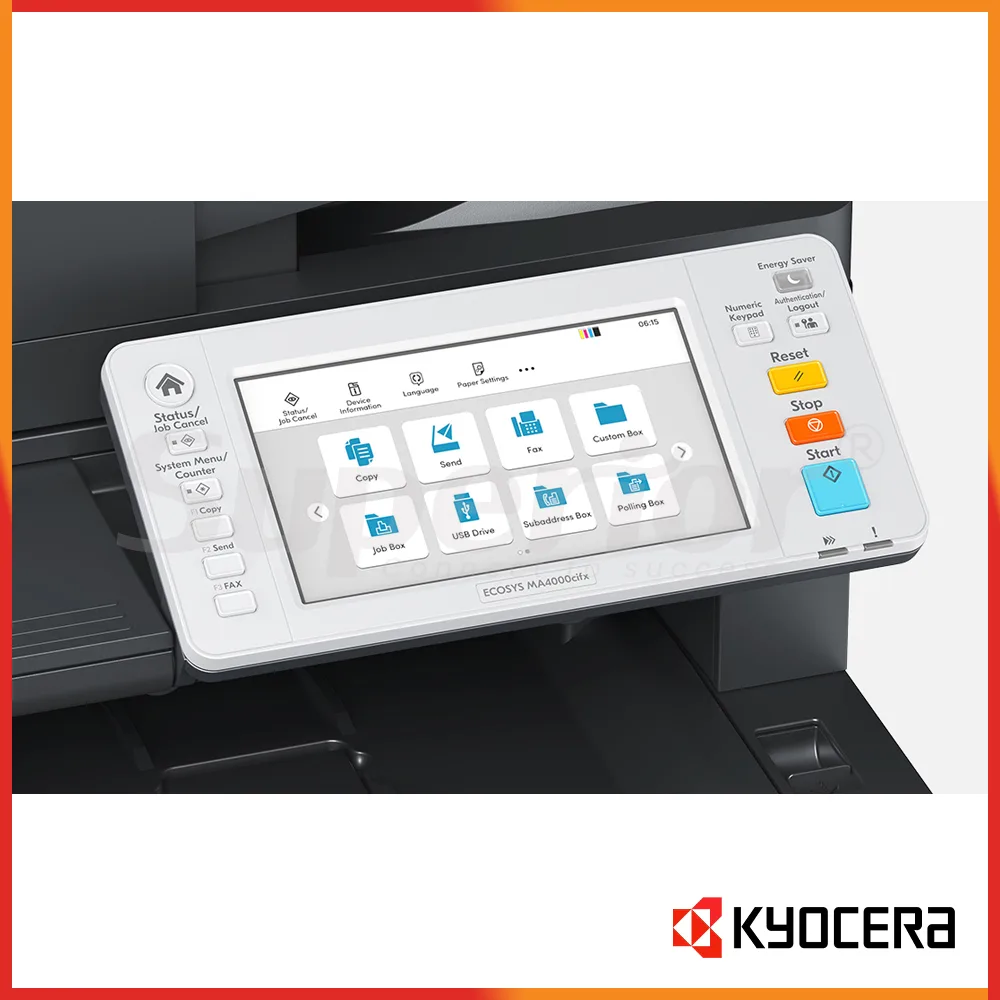
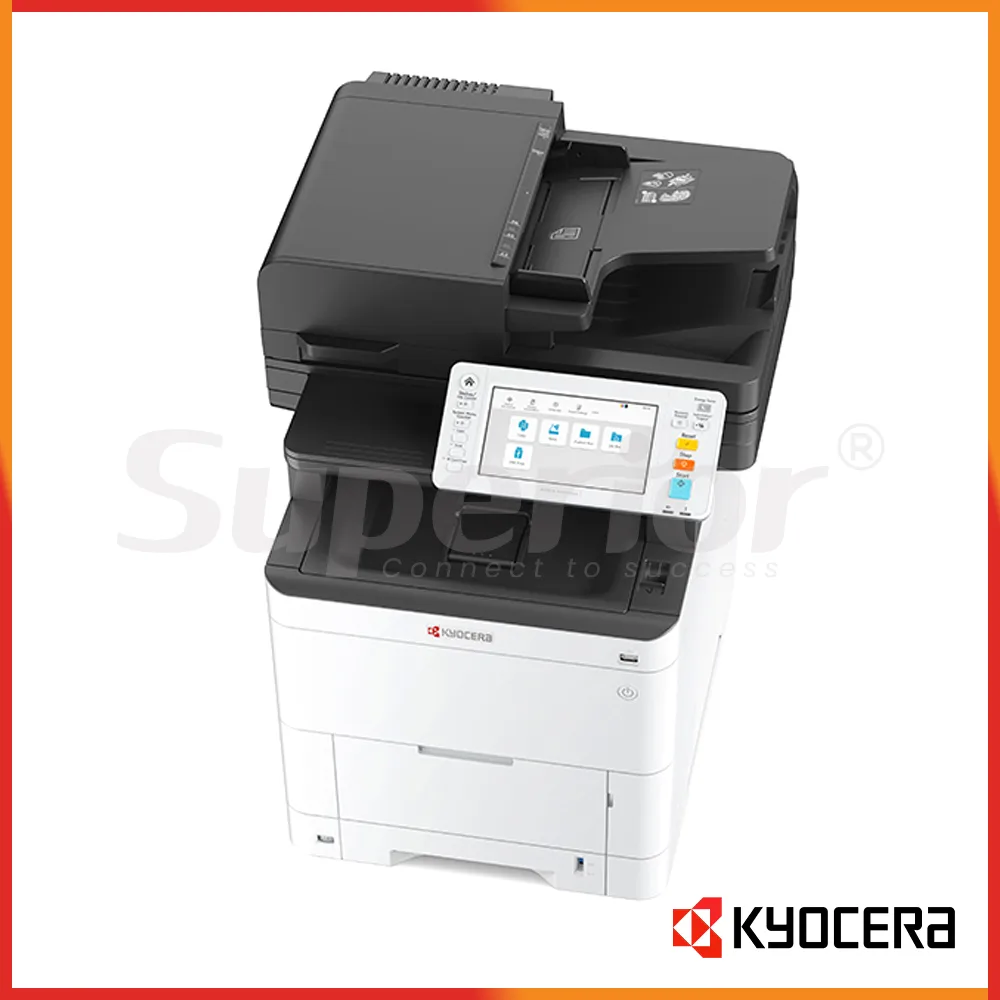

Kyocera ECOSYS MA4000cix | Latest Model Color MFP
|
The Kyocera ECOSYS MA4000cix is an A4 color multifunction printer for offices that need fast printing, copying and scanning from one machine. It runs at up to 40 pages per minute in both color and black and white, so it fits teams that regularly produce invoices, quotations, delivery notes, reports and customer paperwork.
This model is listed as a Latest Model unit. It is not a refurbished machine. The MA4000cix is aimed at medium and larger workgroups that want A4 document handling, a 7-inch touch panel, automatic duplex printing and a fast one-path duplex document processor without moving to a floor-standing A3 copier.
For a normal office, the appeal is practical. Accounts can print statements, reception can copy forms, a clinic can scan signed records, and warehouse admin can process delivery documents without sharing several separate devices.
| Specification | Details |
|---|---|
| Type | A4 color multifunction printer |
| Functions | Print, copy and scan |
| Print speed | Up to 40 ppm A4 in color and mono |
| Print resolution | Up to 1200 x 1200 dpi |
| Memory | 2 GB standard, up to 3 GB |
| Paper input | 250-sheet cassette + 100-sheet multipurpose tray |
| Maximum paper capacity | Up to 2,000 sheets with optional feeders |
| Maximum paper size | A4 / Legal |
| Document processor | 100-sheet one-path duplex scan type |
| Connectivity | USB 2.0 and Gigabit Ethernet |
The 40 ppm engine speed is useful in a shared department where several people send jobs during the same hour. A sales desk may print a color proposal while accounts sends black-and-white invoices, and the rated A4 speed stays the same for both color and mono. Automatic duplex printing is standard, which is useful for contracts, internal reports and longer files where printing on both sides makes sense.
Paper handling starts with a 250-sheet cassette and a 100-sheet multipurpose tray. The multipurpose tray is handy for letterhead, labels and other supported media without removing normal office paper from the main cassette. Optional feeders can increase total capacity to 2,000 sheets, which can reduce paper refilling in a busy admin or warehouse office.
The 100-sheet one-path duplex document processor is a strong point for scanning. It can read both sides of an original in one pass, so staff do not need to turn pages manually. Published scan speeds at 300 dpi reach up to 60 images per minute in mono and 50 images per minute in color for simplex work, and up to 120 mono or 100 color images per minute in duplex mode. That is useful for archiving signed forms, supplier documents, HR files and multi-page records.
Scan destinations include e-mail, FTP, SMB network folders and USB, with TWAIN, WIA and WSD support for compatible workflows. The machine can therefore sit as a central scan point for a small department instead of being used only as a printer.
| Consumable | Details |
|---|---|
| Black toner | TK-5385K |
| Cyan toner | TK-5385C |
| Magenta toner | TK-5385M |
| Yellow toner | TK-5385Y |
| Published yield | Black 13,000 pages; color 10,000 pages each under ISO/IEC 19798 |
Kyocera lists the TK-5385 toner family for this model in its regional product information. The published rating is 13,000 pages for black and 10,000 pages for each color toner under ISO/IEC 19798. Real usage will vary with page coverage and the type of documents being printed. A finance team producing mostly black text will use the color set very differently from a sales office printing branded quotations and charts.
Ask SOS before you buy toner in bulk. Confirming the machine model and UAE consumable code first is a simple way to avoid ordering the wrong toner family, especially if your office keeps a full spare color set on the shelf.
Gigabit Ethernet and USB are standard. Wireless LAN is optional, so if the printer needs to sit away from a network point, Enquire with SOS before purchase. A wired connection is still a sensible setup for many shared office printers because the machine stays at a fixed network address and is easier for several users to access.
Installation can include printer drivers, network settings, scan-to-folder, scan-to-email, duplex defaults and user testing. These small setup jobs matter. A machine can print correctly but still waste staff time if scan folders, paper defaults or address book entries are not configured for the way the office actually works.
The MA4000cix does not include the standard fax function found on the MA4000cifx version. If fax is still required for supplier forms, clinic documents or other office work, check the exact model with SOS before ordering.
Superior Office Services LLC (SOS) can assist with supply, installation and support for the Kyocera ECOSYS MA4000cix in Abu Dhabi, Dubai and Musaffah. Visit sosauh.com or use Contact SOS on WhatsApp. Call Abu Dhabi on 02 442 9966, Dubai on 04 324 0050, or Musaffah on 02 550 5265. Mobile support is available on +971 50 969 4734 and +971 50 159 4734.
Additional Information
What can I help with?


