











Introduction: Significance of Easy Maintenance of Equipment
Every office that relies on printing has to have printers that are simple to maintain and repair. If the printer isn't, both expenses and productivity will become an issue. The repairability and maintenance of the chosen printer must be considered if it is to function effectively for many years. This article is intended for everyone who works in office administration, including those in IT, procurement, and other fields.
What “Easy to Maintain and Repair” Really Means
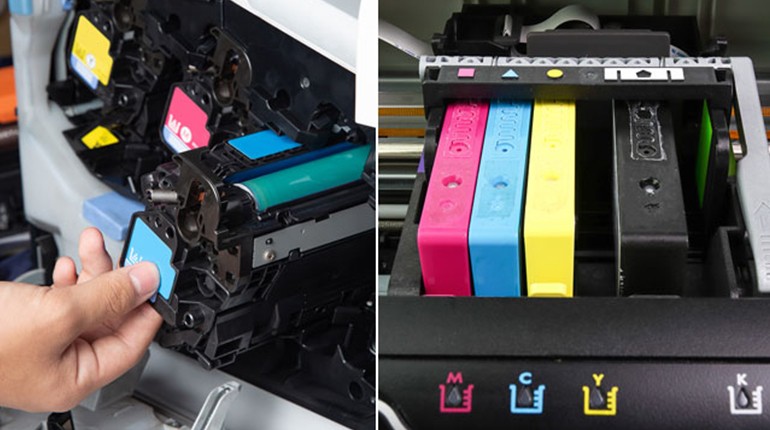
Some features of a printer are easy to maintain. For example, the printer's interior, including the paper moving path, rollers, trays, and fusers, may be accessed without disassembling it into its parts. Additionally, the printer should have modular parts that may be swapped out without requiring complicated modifications. Diagnostics, status reports, and self-test features are expected to be included with the printer. Additionally, it should be easy to update its firmware.
Design Features That Aid Maintenance
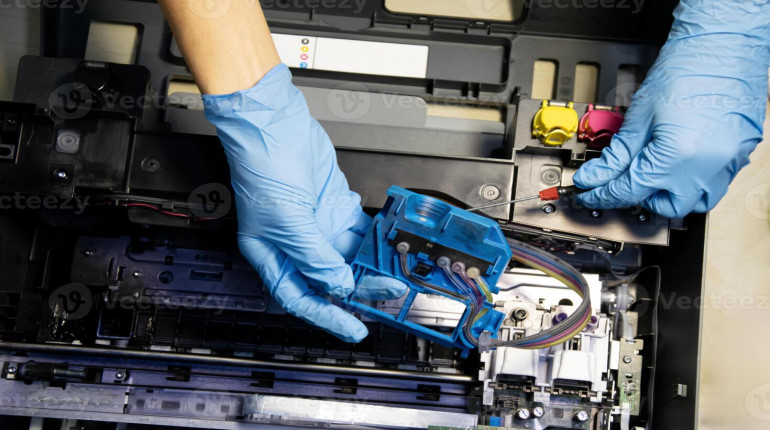
Modularity is just one of the aspects that should be considered. Printers that employ modular components like consumables and wearable parts, such as roller units, belts, fusers, and drums, can be serviced more easily as they can be taken out and replaced independently. Access without tools is an additional benefit, because panels opening using basic locks or leverages provide quick access for inspection. Jams and cleaning become easier when paper paths are clear and do not involve many obstructions. Problems that could be detected before further complications arise are facilitated by status screens providing error codes or showing how many life components are left. Remote diagnostic and firmware monitoring features are beneficial because they help detect problems at an early stage.
Practical Indicators for Testing Serviceability
The following indicators can be considered while testing printers. To see how easy it is to access toner cartridges, drums, rollers, etc., you can open the printer’s panels and find out how many screws and other parts have to be removed to get the required part. Is the component labelled so that there is no risk of mixing it up with another component? Does the supplier of the component supply the consumables for it to end-users? Is it possible to procure such components at the moment they need to be installed? Are the router and/or panel indicated in the maintenance manual? Can the firmware be remotely upgraded easily? Choose printers that come with extended warranty periods, since without consumable replacements, old printers cannot be effectively repaired.
Models Known for Ease of Maintenance
The maintainability of some printer models and product lines is well known. Modular drums and easily replaceable toners are frequently used in Kyocera's corporate and workgroup devices. Numerous versions feature labelled parts and front access panels. In a similar vein, enterprise lines from manufacturers such as Xerox or Konica Minolta are designed to be serviceable, with well-documented parts and field-replaceable modules. Monochrome laser types are typically easier and more dependable in smaller printers, allowing for repairs without requiring extensive disassembly.
For example, consumers frequently comment on how simple it is to replace drums, rollers, and guides without the need for tools while reviewing Kyocera printers. For years, several user communities have even published detailed maintenance instructions for various models. Manufacturers of larger copiers frequently offer "service mode" diagnostics, which enable a technician to immediately identify problems rather than speculating.
Trade-Offs and What Makes Maintenance Hard
Certain printers are challenging to maintain because they cram a lot of features into a small area, making access challenging. Others include intricate calibration processes that need to be carried out in controlled workshops or glued or sealed components. Repairs are costly or need lengthy wait times when parts are proprietary or exclusively offered by the manufacturer. Users may be unable to identify minor issues due to firmware lockdowns or diagnostics concealed behind service menus. It may be necessary to replace entire pieces rather than simply worn bits in printers that employ consumables with integrated electronics. Due to the additional parts, sensors, and calibration procedures, colour multifunction printers are frequently more difficult to maintain than monochrome machines. Selecting a model with a lot of features raises the likelihood that anything will need maintenance.
Tips to Ensure Your Printer Remains Serviceable
Make sure the servicing or maintenance handbook is available or accessible when buying a printer. Buy equipment from manufacturers who have dependable suppliers of replacement parts. Ask prospective suppliers to perform some of the standard maintenance tasks. Make sure your contract includes labour and parts for all wear-and-tear issues, not simply repairs. Maintain a supply of spare parts for consumables and worn components like rollers and fusers. Teach your employees how to carry out certain paper path cleaning tasks. Perform preventative maintenance on a planned basis.
Conclusion
Printers that are easy to maintain and repair give more uptime, reduced cost of maintenance, and assurance of reliability. Consider printers that have good support structures, are modular in design, and are easily accessible. These traits have already been seen in many reputable business printers. You can enjoy the advantages offered by such printers if you choose them when buying.