











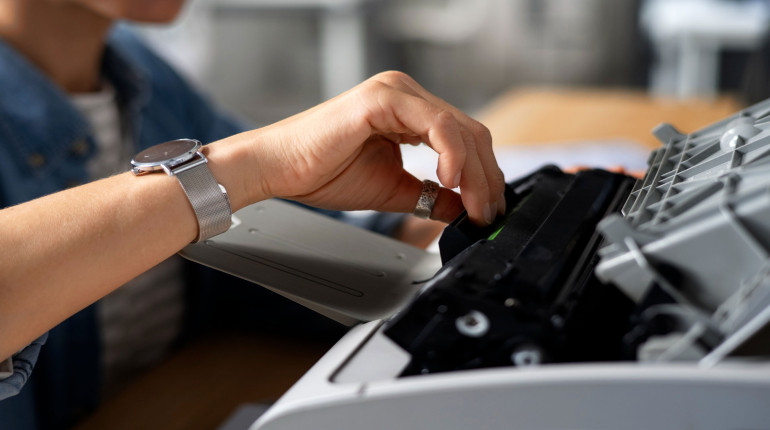
It has, however, occurred once more. Your printer is unable to complete its single task, and you have a deadline. Furthermore, you're unsure about what to do next. Is this a new printer purchase, an appointment with a printer specialist, or an internal troubleshooting task?
It's definitely time for a new printer if yours is older than seven years. It depends on how it has been utilized whether it is only five years old. Therefore, we'll offer some troubleshooting advice and clarification on when it's time to permanently retire that printer in this blog.
5 Easy Printer Fixes To Do In-House
Regular maintenance may extend the life of your printing equipment and improve its performance, much like it does for your car. And just like putting cheap gas and cheap oil in your car, using the cheapest paper and compatible toner in your printer can cost you more money in the long run.
1. Toner Lines
Does your office printer add lines to finished prints? There are a few possible reasons for that that may not indicate a serious equipment issue, including using low-quality paper or high humidity.
Possible DIY solutions to try:
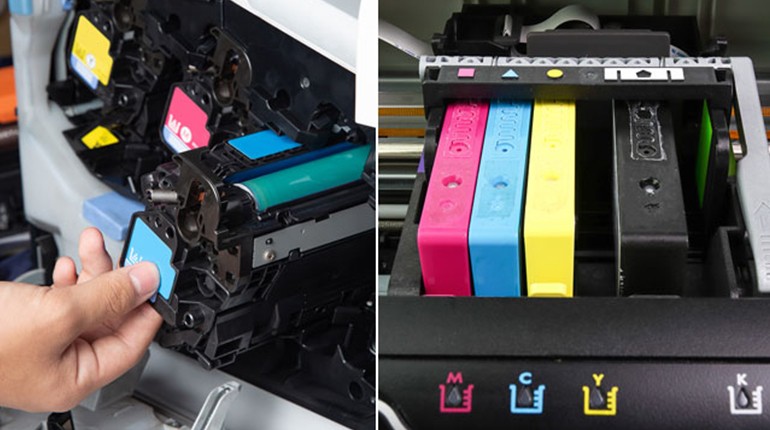
- Check to see if your toner is low or if a cartridge needs to be replaced.
- Make sure there’s not a foreign substance on the scanner glass, and if so, give it a good cleaning.
- If your printer is an inkjet, see if your print heads are clogged, and if so, run the automated head-cleaning process.
- Clean the imaging drum and other components.
- Upgrade your paper quality or reduce the humidity in your office or where paper is stored.
When a tech may be needed:
- Your print rollers are worn out or damaged.
- You should clean your imaging drum and other parts.
- A clogged head cannot be cleared by the automatic head-cleaning procedure.
2. Wrinkling Pages
A lot of things can cause wrinkled pages. Therefore, you may wish to examine a few items, like your paper trays, more closely before calling a technician.
Possible DIY solutions to try:
- Replace old paper trays.
- Use higher-quality paper
- Store paper in a less humid environment
When a tech may be needed:
You can have a problem with the fuser assembly or feed roller.
Expert advice: Paper trays and other printer parts are frequently handled roughly. However, one important technique to extend the life of printing equipment is to treat it gently.
3. Frequent Clogs and Paper Jams
Is there anything more frustrating than a paper jam? Fortunately, most persistent paper jam issues have simple fixes.
Possible DIY solutions to try:
- Use better quality paper — that cheap stuff creates more dust.
- Make sure your device is being cleaned and maintained regularly, and that someone is designated to be your print/copier point person.
- Make sure your tray isn't overfilled and that your paper is loaded correctly.
- Store paper in low-humidity conditions
- Check your printer for foreign objects, like paper clips, staples, and the like
- Switch to OEM toner — the “compatible” cartridges can lead to jams.
When a tech may be needed:
- Your rollers are dirty.
- Some of your printer’s parts are worn and need to be replaced.
4. Too Light or Too Dark of a Copy
Ink and toner are absorbed differently by different paper weights. Here are your possibilities, though, presuming you're not using the incorrect paper for the task at hand.
Potential do-it-yourself fixes to try:
- Verify that your toner or ink is sufficient, and change your cartridges if necessary.
- In your printer driver, reset the density levels.
- Check for clogged heads if your printer is an inlet, and if so, use the automatic head-cleaning procedure.
When a technician would be required:
- The drum in your printer might need to be replaced because it is nearing the end of its useful life.
- It might be necessary to replace or repair your fuser unit or transfer roller.
- A clogged head cannot be cleared by the automatic head-cleaning procedure.
5. Random Spots
Random spots could have a straightforward solution, but they might also signal the need for a printer professional.
Possible DIY solutions to try:
- Stop using non-OEM toner cartridges
- Make sure there are no leaks or damage to your cartridge.
- Use better-quality paper
- Verify that your device is free of any leftover paper fragments from previous paper clogs.
When a tech may be needed:
- Your drum is dirty and needs a good cleaning
- Your drum is scratched or otherwise damaged and will need to be replaced
When Is Printer Repair Worth It?
Take into account a number of criteria while determining whether to replace or repair your workplace printer. First, find out how old and capable your existing model is. Printer technology is always changing, so new features that were previously unavailable or beyond your budget can suddenly be available. A new printer could be the most economical option if it boosts production and efficiency.
Next, ascertain the Cost Per Page (CPP) of your printer. The CPP for your current model can be found with a short search because many manufacturers post the CPP for their products. After purchasing a device, make sure it is properly maintained in accordance with the manufacturer's instructions. You should also consider whether new or used equipment would meet your business needs.
Recall that, in addition to the hazards they may bring to your data and systems, old equipment can still cost you a lot of money in terms of supplies, maintenance, energy use, time, and annoyance.
Expert advice: It's definitely time for a new printer if it's older than seven years. Additionally, it's time to think about getting a new printer if it's four to six years old and isn't functioning well or isn't made for the way you use it.
Locating Local Printer Repair Services
Hi there, then! As a nationwide, manufacturer-agnostic technology supplier, we can offer clients with numerous sites across several states seamless managed print services and maintenance services for a range of printing devices, including thermal printers. In addition to improving print security and predicting necessary maintenance and repairs, we assist our clients by lowering print expenses.
We also take pleasure in providing a small-town atmosphere. We are headquartered in the United Arab Emirates; therefore, it comes easily to us!
Keep us in mind if you want insider pricing on top equipment or if your IT team or dedicated copier/printer specialist is burdened with printer maintenance and troubleshooting.