












Apart from a coffee maker, one item that every employee in your company would want is a fantastic printer. Everyone in their immediate vicinity uses commercial printers extensively, and they are not inexpensive. Multifunction office laser printers are used in most commercial locations, and they typically have a five-year lifespan. A printer's lifespan is determined by a number of factors, but today we'll discuss some strategies that will help your multifunction printer last longer.
Frequent upgrades for software
You shouldn't run such crucial office equipment on out-of-date software because modern printers rely on software. Make sure that the software on every printer is updated on a regular basis. This will guarantee that the printer can manage heavy loads, control maintenance expenses, and prevent equipment hacking!
Maintain a clean printer.
Your printer's deadliest foes are dust and dirt. These can occasionally cause a complete malfunction in addition to jamming the printer. As a result, you should clean the trays and printer surface on a regular basis. The auto-clean function of the contemporary multifunction office laser printer allows it to clean its own parts. Here's a checkpoint: don't attempt anything you're unsure of. You may harm the instrument. Please consult the experts or adhere to the manual's directions.
Plan routine maintenance.
The printer requires routine maintenance, just like any other piece of equipment. For printer maintenance and cleaning, you can either sign a monthly, quarterly, or annual contract with a service provider or inquire about the manufacturer's rules. You can identify problems and anticipate any hazards before they arise by doing routine maintenance. For the greatest and most trouble-free printing experience, plan routine maintenance since, as they say, "prevention is better than cure."
Take caution when handling jams.
The joke, "This printer has now become Bob Marley because it keeps jamming," must be familiar to you. The most frequent problem with any printer is paper jamming. What is worse than that, though? When you try to rip, damage, or mistreat the machine because you think it is stupid. If a paper gets stuck, follow the manual's instructions to remove it; if you are unable to do so, call the technician right away.
Don't go beyond your boundaries.
The top office multifunction printers attempt to convey that, despite the fact that it may sound daunting! Indeed, there is an ideal print volume for each printer, and you shouldn't go above it. By doing this, you run the risk of overloading and damaging the printer, which would result in further costs and issues. Your multifunction office laser printer's lifespan can be increased, just as with any other item, if you operate it carefully, take care of it, plan routine maintenance, and follow the instructions.
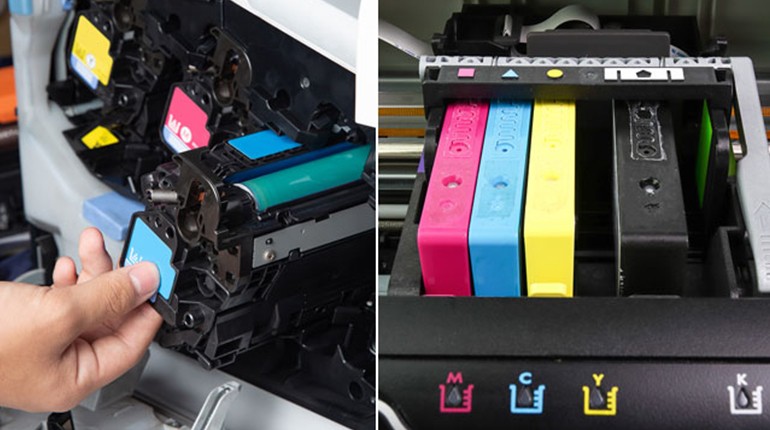
For all of your printing needs, SOS is here. On our website, you may purchase cartridges and printing supplies in addition to scheduling printer maintenance. Documentation and the convenience of work are now only a click away. Contact our Customer Service at 800-767-823.