










Choosing a new or rented printer for your legal practice is more than just purchasing office supplies. The effectiveness of your office and even the financial health of your company are greatly impacted by this specific decision. You must find this process quite difficult, whether you are the office manager of your firm or the attorney in charge of your small legal practice. Don't worry, though, because we'll assist you in sorting through the clutter and providing you with the top printers for legal practices.
Why Law Firms Require Specialised Printers
You are aware that your printer needs to meet the unique requirements of your business.
Beyond simply clicking "print" several times a day, you must manage private data and make sure each document has a polished appearance. Additionally, speed cannot be compromised. Long contracts and copious amounts of discovery documents are likely printed every day by your legal firm. Bottlenecks and lost billable hours result from slow printers.
You also need versatile machines, those that can handle legal-size paper (that’s 8.5” x 14” for those keeping scores!), scan hefty files, and make reliable copies. You will also need a cost-efficient printer. This is because expensive toner cartridges, a printer breaking down often, and energy guzzlers may be secretly draining your office kitty.
Essential Features for Law Firm Printers: Your Checklist
IronClad Security Features
These features aren’t an option; they’re a must-have for law firms.
Secure Print Release: Using this function enables you to print only when you are physically present at the printer by entering the PIN or card. You do not have to be concerned about confidential documents being left unattended.
- Encrypted Data Transmission: If you constantly scan documents to email or put them in cloud storage, make sure the data is encrypted on its journey.
- User Authentication: Control who can use certain functions or access specific areas of the printer. Make sure your new printer for your law firm has user authentication.
- Hard Drive Protection: Many advanced multifunction printers (MFPs) have internal hard drives. Look for models that encrypt or automatically overwrite data stored there.
Serious Speed & Productivity
Time is money, especially in a legal setting.
- High Pages Per Minute (PPM): This tells you how fast the machine prints. Look for impressive numbers for both black & white and colour.
- Fast First Page Out Time (FPOT): How quickly does that first page pop out? It makes a big difference for those quick one-off prints.
- Automatic Duplexing: This means the device prints (and scans!) on both sides automatically. Huge time and paper saver!
Smart Paper Handling
Legal papers vary in size, and your printer needs to accommodate this variation.
- Legal-Size Paper Support: This seems like a no-brainer, but the truth is that not all printers handle 8.5” x 14” paper easily. Make sure the printer supports it.
- Multiple Paper Trays: You can load different types of papers (letterhead papers, plain papers, legal papers) at the same time because of this feature.
- Generous Input Capacity: This is one aspect that will ensure you devote more time to matters in your law office. Therefore, do not overlook inquiring about the input capacity during the purchase of a new printer.
Multifunctionality (MFPs for the Win!)
If you are looking to save space and perform multiple functions at one time, an MFP can be a fantastic alternative.
- Quick Scanning Speed: For law firms, digitally scanning documents is a technological miracle. Seek out ADF facilities and swiftly and effectively scan the reverse sides.
- Optical Character Recognition (OCR): This is a fantastic feature that allows users to scan images and turn them into searchable text files. A good example is searching a scanned document, a scanned contract, for instance.
Seamless Connectivity And Compatibility
The printer you plan to buy should be able to interface with your office environment.
- Network Printing: The presence of good Ethernet connectivity or connectivity through Wi-Fi enables printing at all workstations.
- Compatibility: It is important to ensure that the new printer is compatible with the legal software used in your firm.
Realistic Cost of Ownership
Don’t just look at the price tag.
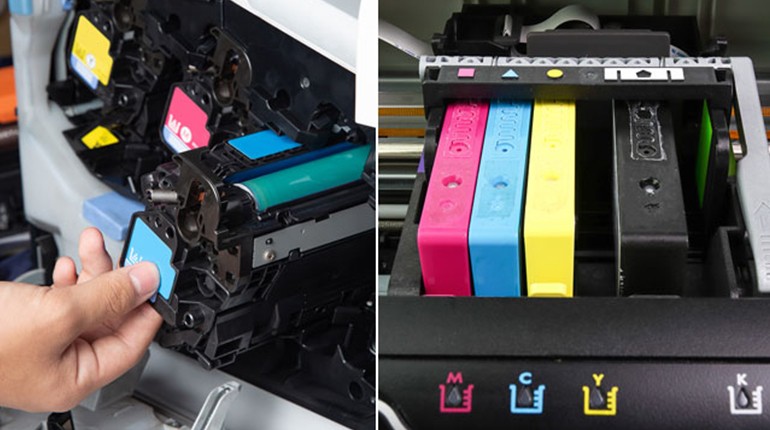
- Toner/Ink Cost Per Page: This is critical! Divide the cartridge cost by its estimated page yield. A lower cost per page saves you a bundle over time.
- Energy Efficiency: Look for ENERGY STAR certification to keep electricity bills down.
- Maintenance & Service: Understand the warranty and if local support is readily available for printer repair needs.
Our Best Printer Suggestions for Law Offices
Now, let’s talk types. Here are the machines that typically rise to the top as the best printers for your law office needs:
Monochrome Laser Printers
These are your workhorses for high-volume black-and-white text. They’re super fast, produce incredibly crisp text (perfect for legal briefs!), and boast a very low cost per page for toner. We recommend them for firms that print massive amounts of text documents daily, including legal briefs, contracts, and everyday correspondence.
Colour Laser Printers
While black and white is essential, sometimes you need professional colour for presentations, marketing, or specific exhibits. Colour laser printers deliver that quality quickly. Keep in mind that their cost per page is higher than monochrome, so use them strategically for when colour truly adds value.
Multifunction Printers (MFPs)
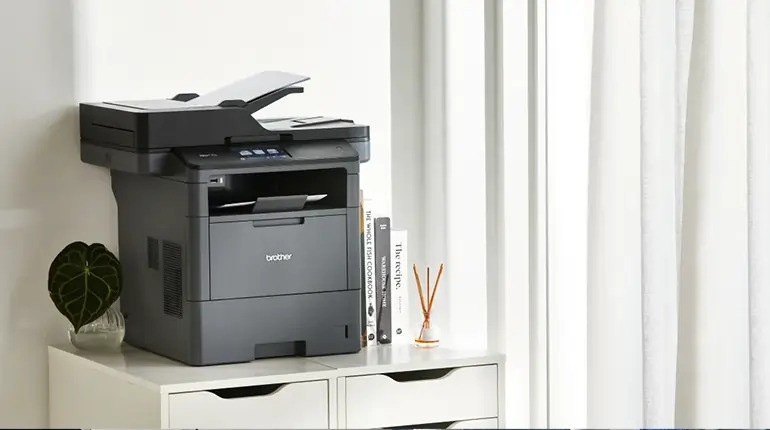
MFPs combine printing, scanning, copying, and often faxing into one sleek unit. They save space and simplify workflows, making them often the best printer for small law office setups. Plus, their advanced scanning capabilities (scan-to-email, OCR) are a huge help for digitising documents and reducing paper clutter. Many also excel at handling legal-size paper through their automatic feeders.
What to Avoid: Common Printer Pitfalls
To help you find the finest printer for lawyers and their staff, avoid all of the following common pitfalls:
- Economical Consumer Inkjet Printers: Unless you print only occasional pages, these printers are likely to come with a costly ink replacement plan, slow speed, and a lack of security and paper handling capabilities necessary for your business that are not provided by these economical inkjet printers.
- Printers Without Robust Security Measures: Never, ever accept printers that don't
- Models with Extremely High Consumable Costs: Sometimes a model may appear inexpensive at first, but it might be really expensive in the
- The most basic requirement is printers that are ineffective while handling legal-sized paper.
Summing It Up
When you look towards incorporating a robust security system, great performance, and fundamental multi-functionality (not to mention an incredible scanner!), a legal-sized paper handling system, and a cost-effective strategy, you can bet your final decision will not be one you’ll ever regret. This should put you directly on the path to securing the very best printer available for your law offices and ensure your law offices are always flowing effectively and efficiently. Are you needing additional help and resources for acquiring a brand-new or rental printer for your law offices? Haide products can certainly provide you with the needed assistance and help you filter your search down to the most optimal printers for your law offices.